Identify
What caught your eye?
Bring a little of your next discovery into focus. Practise adding a photograph, or search an external botanical collection.
Take a closer look
Demonstration interface: your image stays on your device. This page does not recognise plants.
Example ready to explore
Your photograph was not analysed or uploaded. The nutmeg example below is a fixed teaching record, unrelated to your selected image.
Already have a name?
Search iNaturalist’s taxonomy using a scientific or common name. This opens the external iNaturalist website.
Prefer to stay here? Browse all 16 species and use the family filters.
A photograph worth comparing
- Keep the subject sharp and well lit.
- Include the leaf and its attachment to the stem.
- Add a wider view for context.
Meet the nutmeg tree.
An illustrative result, not image recognition: the same fixed example appears for every photograph.
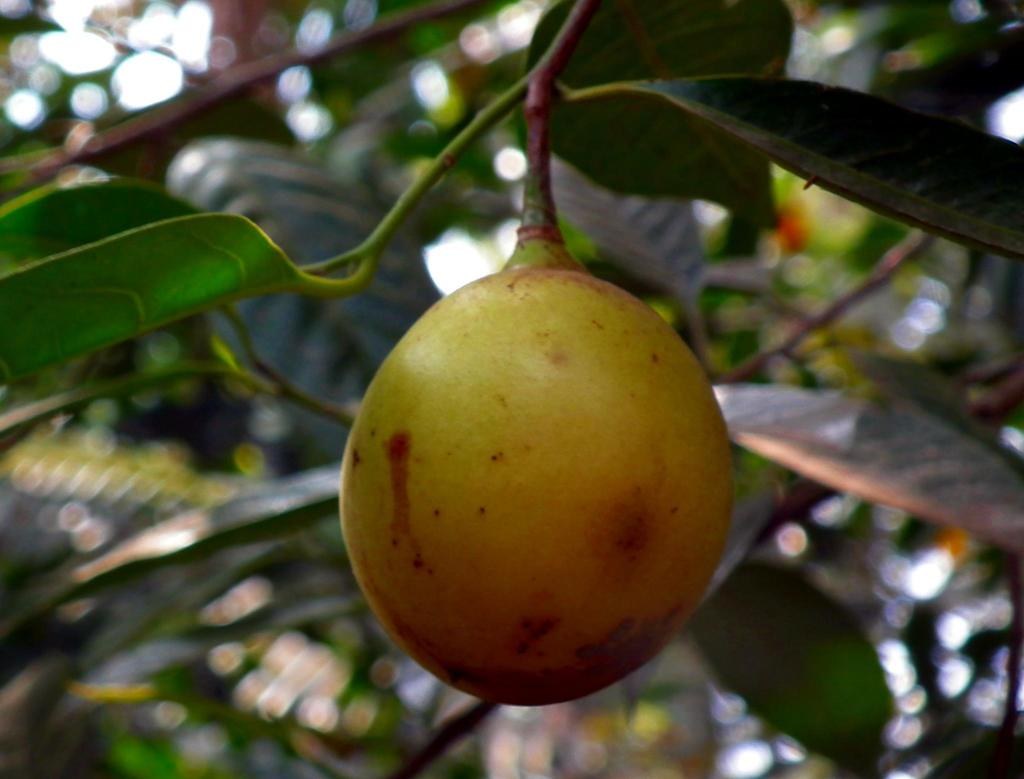
Myristica fragrans
Nutmeg · Pokok pala
- Family
- Myristicaceae
- Native origin
- Maluku, Indonesia
- Growing environment
- Tropical conditions; well-drained, acidic loamy soil.
- Care context
- Moderate water; full sun or semi-shade.
Botanical source: NParks.
View speciesGood observations leave room for uncertainty.
You do not need to name every plant before you start exploring. Begin with a clear observation and follow the classification trail at your own pace. This guide deliberately keeps its collection small: every family connects to two genera, and every genus connects to two species. Those counts describe this website’s selection, not the total diversity of the families.
Use the photographs as reference material. A close-up may show a fruit, a leaf, or a preserved herbarium specimen; the caption tells you who made the image. The original botanical source appears beside the description so you can examine the evidence and read beyond our summary. Regional ranges describe published distributions, not the location where a reference photograph was taken.
Build a useful observation
- Take a wider photograph showing the plant’s overall form.
- Add close views of leaves and any visible flowers or fruits.
- Write the date, general location and what you actually observed.
Three words to know
- Family
- A classification that groups related genera.
- Genus
- A classification within a family; the first word of a species name.
- Species
- The more precise level used in this guide, written with a two-part scientific name.
Naming reference: International Association for Plant Taxonomy. Field workflow is original project guidance.
What this interface does
| Action | What happens |
|---|---|
| Choose a photograph | The browser selects a local file; the file is not transmitted. |
| Identify plant | Native validation checks that a file is selected; a fixed example becomes available. |
| Search by name | The query is sent to the public iNaturalist search page. |